
Download dBpowerAMP CD Writer – CD writer, audio CD burning, music burning, audio converter, music library, burn music to CD
Overview
dBpowerAMP CD Writer (dCW) is a specialized utility designed for users seeking to create custom Audio CDs from their digital music collections. The application serves as a reliable tool for converting audio files into a standard CD format, enabling playback on conventional CD players. It addresses the need for a straightforward yet powerful solution in a niche market where many modern users still rely on physical media for music sharing, archiving, or playback in vehicles and home stereos. The app targets audiophiles, music collectors, and individuals who value the permanence and compatibility of Audio CDs over digital streaming formats.
Although the developer did not provide additional technical details about the app’s development background, dBpowerAMP has been recognized in the audio software community for its focus on precision and user experience. The application supports a range of common audio formats, including MP3, OGG, WMA, and WAV, allowing users to burn music regardless of their original file type. Real-world use cases include compiling personalized mix CDs for events, creating backup copies of favorite albums, or preparing music for playback in older car audio systems that lack digital connectivity.
Within the broader app ecosystem, dBpowerAMP CD Writer fills a specific gap by offering a dedicated, no-frills solution for audio CD creation. Unlike general-purpose media players, it focuses exclusively on the burning process, ensuring reliability and consistency. The release date of 2005-08-08 indicates a long-standing presence in the market, suggesting stability and proven functionality over time.
Key Features & Functionality
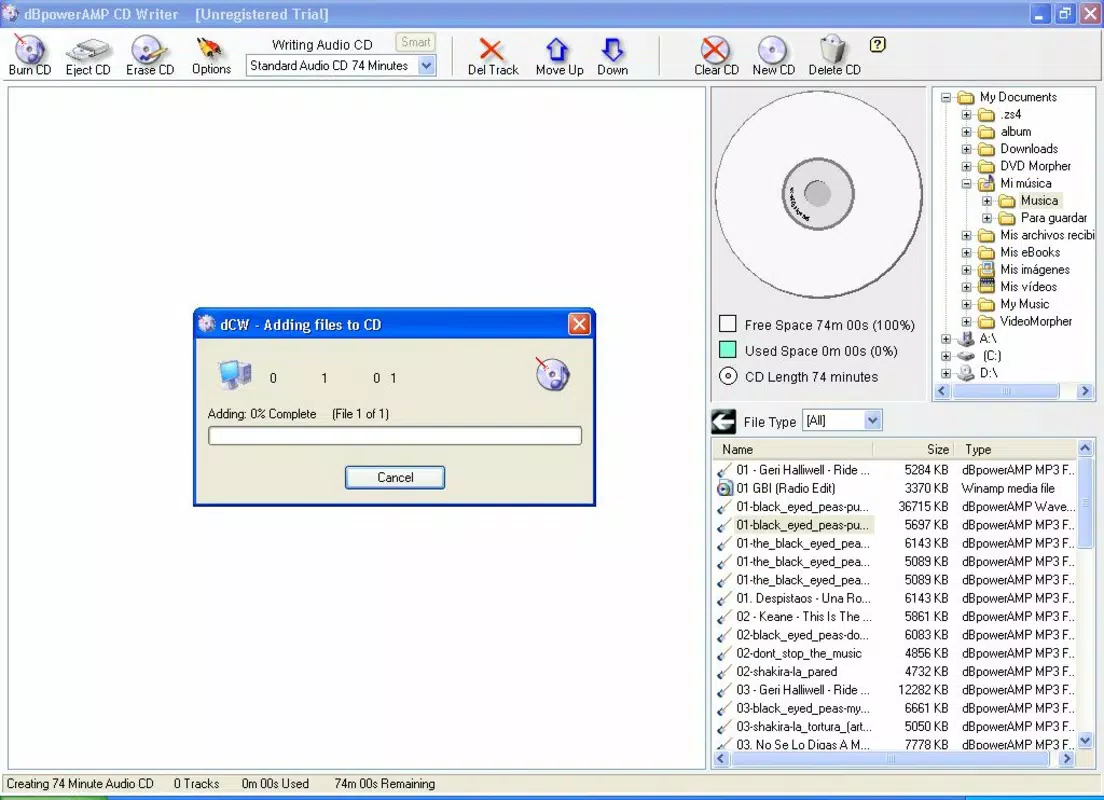
- User-Friendly Interface: The clean, minimal layout allows users to focus on their music without distraction. Drag-and-drop functionality simplifies the process of adding tracks, making it accessible for both beginners and experienced users.
- Format Conversion: Integrated with the dBpowerAMP Music Converter, the app supports conversion from MP3, OGG, WMA, and WAV to Audio CD format, ensuring compatibility with standard CD players.
- Customizable Playlist Order: Users can rearrange songs in the playlist to match their preferred listening sequence, offering full control over the final CD’s structure.
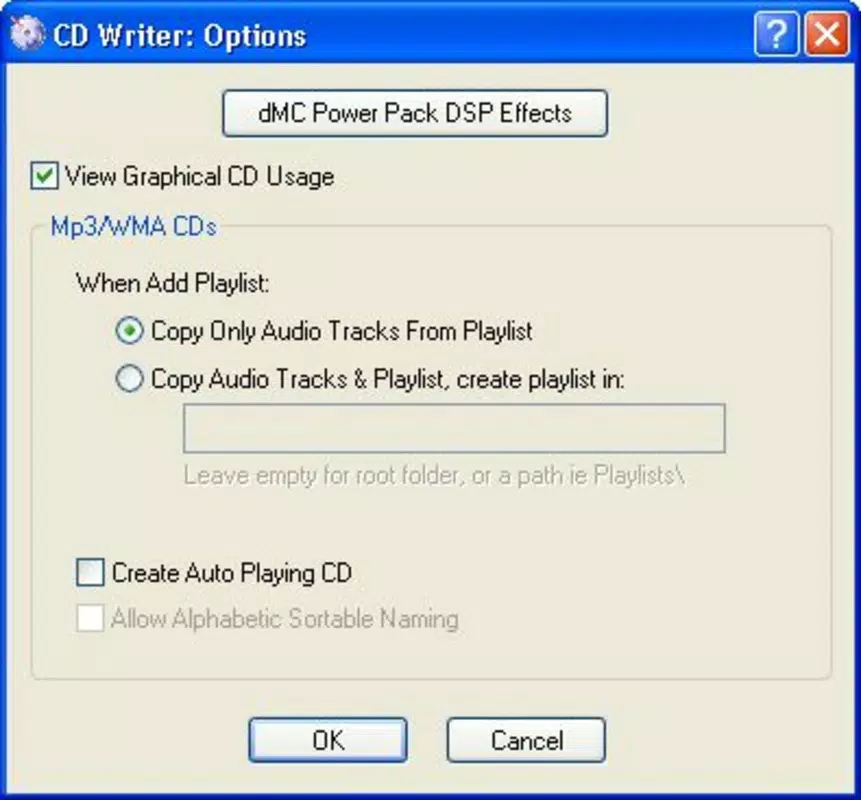
- Visual Space Indicator: A graphical bar displays the amount of space used and remaining on the CD, helping users avoid exceeding capacity and ensuring optimal use of the disc.
- Preset Audio CD Models: The app includes preconfigured options for 74-minute and 80-minute Audio CDs, as well as MP3-compatible models with matching durations, simplifying the selection process.
These features collectively streamline the CD creation process. For instance, a user preparing a birthday gift CD can drag their favorite songs into the interface, reorder them for a curated flow, and monitor space usage in real time. The format conversion capability ensures that even non-WAV files are properly encoded for CD playback, eliminating compatibility issues. The preset models allow quick selection based on disc capacity needs, reducing setup time and user error.
Interface, UX & Performance
The interface of dBpowerAMP CD Writer is designed with clarity and functionality in mind. It features a straightforward layout with clearly labeled sections for playlist management, file import, and disc settings. Navigation is intuitive, relying on standard drag-and-drop interactions and minimalistic controls, which reduces the learning curve for new users.
Visual feedback is provided through the space indicator, which dynamically updates as tracks are added. This responsive element enhances user confidence during the burning process. Although the developer did not list formal performance metrics, the app’s lightweight file size of 13.5 MB suggests efficient resource usage, which may contribute to stable operation on older or lower-spec Windows systems.
Performance across different device categories is not formally documented. However, the app’s long-standing release history and modest size indicate a focus on reliability and compatibility. Stability is likely maintained through consistent updates to the underlying audio engine, though specific update frequency is not disclosed. Users can expect a steady experience during file conversion and burning, with minimal risk of crashes during standard operations.
Platform Compatibility & Technical Requirements
dBpowerAMP CD Writer is designed exclusively for the Windows platform. It runs on Windows operating systems, though the developer did not specify minimum OS requirements. The application has a file size of 13.5 MB, which is relatively small for a media utility, suggesting efficient coding and low system overhead.
Specific compatibility details, such as supported Windows versions (e.g., Windows 7, 10, 11), were not listed. As such, users should verify system compatibility before installation. The app’s release date of 2005-08-08 indicates it was originally developed for earlier Windows environments, which may affect performance on newer systems without compatibility mode or updated drivers.
Pros and Cons
Pros
- Intuitive interface ideal for users of all skill levels
- Supports multiple audio formats for flexible music library use
- Visual space indicator prevents overburning and improves planning
- Predefined CD models simplify setup and reduce errors
- Compact file size ensures minimal system impact
Cons
- Platform limited to Windows only
- No information on OS compatibility or system requirements
- App was released in 2005, which may raise concerns about modern support
- Price point of $29.95 may be considered high for a niche utility
- Limited to CD burning; no support for other media types
FAQ
Is dBpowerAMP CD Writer safe to download and install?
Yes, the app is designed for Windows and is distributed through official channels. As with any software, users should ensure they download from trusted sources to avoid potential security risks.
Can I use dBpowerAMP CD Writer on modern Windows systems?
The developer did not specify compatibility with current Windows versions. Users may need to test the application or use compatibility mode if issues arise.
Does the app support MP3 CDs?
Yes, the app includes MP3 model presets that match standard Audio CD durations, allowing users to burn MP3 files to CDs playable on compatible devices.
Is the app free to use?
No, the app is a paid utility priced at $29.95. It is not available as a free download or trial version based on the provided information.
Can I update the app to the latest version?
Update availability depends on the developer’s release schedule. The current version is 2.1.1, but no information was provided on future updates or update mechanisms.
Final Thoughts
dBpowerAMP CD Writer remains a focused, dependable tool for users who need to burn high-quality Audio CDs from their digital music libraries. Its clean interface, format conversion capabilities, and visual space tracking make it a practical choice for both casual users and dedicated audiophiles. While its age and lack of modern platform support may raise concerns, its proven track record and low system footprint continue to offer value in a specialized niche.
For anyone seeking a secure, efficient way to create physical music copies, this app delivers a straightforward solution. If you rely on Audio CDs for playback, gifting, or archiving, dBpowerAMP CD Writer is a reliable option worth considering.
Download dBpowerAMP CD Writer now


